Fine-tuning a model locally
When fine-tuning is actually the right call (it usually isn't) and how to pull off a LoRA run on a 16GB Mac, with a worked Llama 3.2 3B example.
Fine-tuning feels like the answer when prompting and RAG keep falling short. It usually isn't. But when it genuinely is the right move, you can pull it off on a 16GB Mac using tricks that didn't exist back in 2023.
This is post 12 of 13 in the Local LLMs series. By the end you'll know what LoRA does, when fine-tuning is worth it, and how to run one locally without renting a datacenter.
When to fine-tune, and when to walk away
Here's the honest decision tree.
- Is the model failing because it doesn't know your domain words? Try RAG first. Fine-tuning won't add facts the way RAG does.
- Is it failing because it can't follow your output format? Try a stronger prompt with examples first. If that flops, reach for structured generation (grammar-constrained output). Only fine-tune if neither lands.
- Is the model producing the wrong style or tone? This is where fine-tuning genuinely shines. RAG and prompting can't reliably teach style.
- Do you have 1,000+ high-quality examples of the behavior you want? If yes, fine-tuning is on the table. If you've got 50, prompt with examples instead.
- Can you live with the trained model being a snapshot in time? Fine-tuned models don't get newer when the base improves. You'll redo the work.
In 2026, fine-tuning is the right answer maybe 10% of the time someone reaches for it. The other 90% is better prompting, RAG, or a different base model.
For that 10% where it fits, though, the wins are real. Style transfer. Narrow-domain code generation. Specialized chat personas for medical, legal, or customer support. In all of those, a fine-tuned 7B can beat a generic 70B.
Full fine-tuning vs LoRA

Full fine-tuning updates every weight in the model. For a 7B model that means computing gradients for all 7B parameters, holding optimizer state for all of them, and writing a fresh 14GB+ file at the end. The memory bill runs 4 to 8x the model size in VRAM. A 7B full fine-tune wants 60+ GB of VRAM. That's out of reach for consumer hardware.
LoRA (Low-Rank Adaptation) is the trick that fixes this. Instead of touching the original weights, you bolt small "adapter" matrices onto certain layers and train only those. The adapters are tiny, usually 1 to 5% of the original parameter count. At inference, the adapter outputs just get added to the original layer outputs.
The result: a 7B LoRA fine-tune trains 50 to 200M new parameters instead of 7B. Memory drops 10 to 20x. Now it fits on consumer hardware.
QLoRA pushes further. Load the base model in 4-bit quantization, then train LoRA adapters on top. Memory drops another 4x. A 7B QLoRA fine-tune fits in 8GB VRAM. A 14B fits in 12GB.
This is the technique that made local fine-tuning practical for anyone who isn't running a server farm.
What LoRA actually does, briefly
Inside each transformer layer, you replace W with W + ΔW. ΔW is the change you're learning. Storing ΔW directly would cost as much as W itself, which is expensive, so LoRA decomposes it instead: ΔW = A × B, where A and B are much smaller matrices. You train A and B. You never touch W.
The "rank" of A and B is the knob you turn. Rank 8 or 16 is typical for style fine-tunes. Rank 64+ is for substantial behavior change. Higher rank means more parameters trained, which means more memory but more flexibility.
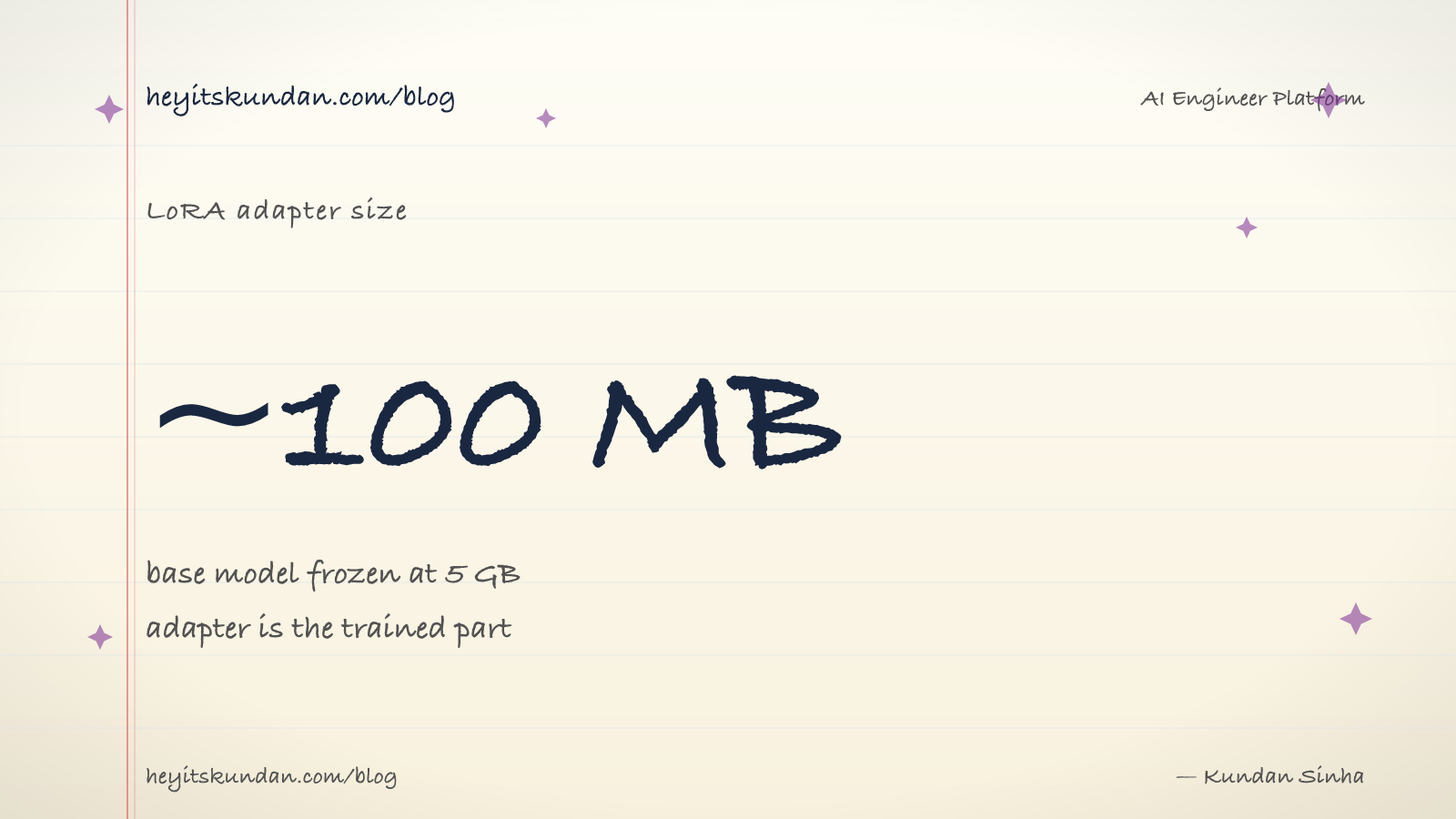
The mechanic is well-studied. The practical upshot is that you can encode "this model now responds in formal Indian English" or "this model now writes Rust idiomatically" into a 100MB adapter file sitting on top of a 5GB frozen base model.
The local fine-tuning toolchain
Three tools dominate in 2026.
- MLX-LM (Apple). The Apple Silicon native fine-tuning library. Fast on M-series chips, simple CLI. Pick this for a Mac.
- Unsloth. NVIDIA-focused and built for speed. Roughly 2x faster than baseline Hugging Face on the same hardware. Pick this for a CUDA box.
- Hugging Face PEFT + transformers. The standard. Works everywhere, slowest of the three. Pick this if portability matters more than speed.
All three spit out LoRA adapters that are compatible with each other and with Ollama, which can load LoRA adapters at inference time.
A worked example: LoRA on Llama 3.2 3B with MLX
Here's the full pipeline on a 16GB MacBook.
# install mlx-lm via pip

pip install mlx-lm
Prepare a dataset. MLX expects JSON lines:
# data.jsonl - one example per line

echo '{"text": "Q: capital of india?\nA: New Delhi."}' > train.jsonl
echo '{"text": "Q: capital of france?\nA: Paris."}' >> train.jsonl
# ... 500-2000 more examples
Run the fine-tune:
# lora fine-tune llama 3.2 3b for 1000 iterations

mlx_lm.lora --model meta-llama/Llama-3.2-3B-Instruct --train --data ./data --iters 1000
This takes 20 to 60 minutes on an M3 Max for a few hundred examples. Out comes an adapters.safetensors file, somewhere around 30 to 100 MB.
Test the fine-tuned model:
# generate with the lora adapter loaded

mlx_lm.generate --model meta-llama/Llama-3.2-3B-Instruct --adapter-path ./adapters --prompt "Q: capital of nepal?\nA:"
Fuse the adapter into the base for deployment:
# merge adapter into base model

mlx_lm.fuse --model meta-llama/Llama-3.2-3B-Instruct --adapter-path ./adapters --save-path ./fused-model
Convert to GGUF for Ollama, one extra step using llama.cpp's converter:
# convert to gguf for ollama

python llama.cpp/convert_hf_to_gguf.py ./fused-model --outfile fused-model.gguf
Now you've got a custom GGUF that imports into Ollama via a Modelfile and behaves like any other model.
Dataset quality is the whole game
Fine-tuning on 500 great examples beats fine-tuning on 50,000 mediocre ones. The hard part of any fine-tune isn't the training. It's curating the data.
Rules I've learned the painful way:
- Diverse beats voluminous. 500 examples covering 50 scenarios outperform 5,000 examples that all look the same.
- Show, don't tell. "Be polite" in a system prompt is fine. "Be polite" examples baked into fine-tuning data are 10x more effective.
- Include the failure modes you want to fix. If the model is too verbose, your data should show the concise version. Not just good examples, but good examples that contrast with the bad behavior.
- Validate by holdout. Reserve 10% of your data as a test set. Measure quality on it before and after. Fine-tunes that look great on training data and flop on holdout are overfitting.
- Beware of style drift. Aggressive fine-tuning can make a model dumber at general tasks while sharpening the specific style. Keep some general-purpose examples in the training mix to hold that line.
Hyperparameters that matter
Of the dozen knobs LoRA exposes, three actually move the outcome.
- Rank. 8 or 16 for light style tweaks. 32 or 64 for substantial behavior change. Going past 128 rarely helps.
- Learning rate. 1e-4 to 5e-4 for LoRA on a Llama base. Too high gives you catastrophic forgetting. Too low gives you no learning at all.
- Number of iterations / epochs. Watch the validation loss. Stop when it stops dropping. Push past the optimum and you overfit.
The other knobs (alpha, dropout, target modules, and so on) ship with sensible defaults. Don't tune them on your first fine-tune.
What runs on what hardware (fine-tuning edition)
Different rules from inference here. Training is hungrier.
- 16GB Mac (Air or Pro). LoRA on 3B models. 1B models comfortably. Allow 30 to 60 min per 1000 iterations on a 1k-example dataset.
- 24 to 32GB Mac. LoRA on 7B to 8B models. Allow 1 to 2 hours per 1000 iters.
- 64GB Mac. LoRA on 14B comfortably. QLoRA on 70B is feasible but slow, 4+ hours per 1000 iters.
- 8GB VRAM PC. QLoRA on 7B with Unsloth.
- 12 to 16GB VRAM PC. QLoRA on 14B comfortably. LoRA on 7B without quantization.
- 24GB VRAM PC (4090). LoRA on 13B without quant. QLoRA on 32B+. The sweet spot for serious local fine-tuning.
You don't need a server. The MacBook Air on the bottom tier is enough for real LoRA fine-tunes. You'll just wait longer.
After fine-tuning: deploying
Once you've got a fine-tuned model:
- For local use: convert to GGUF, import into Ollama via a Modelfile. The Modelfile lets you set the chat template and any custom system prompt.
- For sharing: push the LoRA adapter (just the small file) to Hugging Face. Other people can apply it on top of the base.
- For production: serve via vLLM or llama.cpp's server. Both support loading LoRA adapters dynamically.
Don't ship the fused model unless you have to. Fused models are 5GB+ files. The bare adapter is 100MB. Distribute the adapter, apply it at load time.
What's next
You've now got the full local-LLM stack: vocabulary, compression, runtime mechanics, model selection, hardware, install, integration, RAG, agents, fine-tuning. The last post is the safety net. What to do when any of this breaks, and how to keep up as the field keeps shifting.
From the dictionary
Terms used in this post
Quick reference for the 19 terms you met above. Each one comes from the AI dictionary.
- DatasetData
- The collection of examples a model learns from during training. The shape, size, quality, and bias of the dataset determines almost everything about the resulting model.
- EpochML
- One full pass through the training dataset. Most large models are trained for less than a single epoch on a dataset so big that one pass is enough.
- Fine-TuningML
- Continuing to train an existing model on new data, so the new patterns get baked into the weights. Distinct from RAG (which only changes the prompt) and prompting (which changes nothing).
- GGUFML
- GPT-Generated Unified Format. A single-file binary format for storing quantized model weights, tokenizer, and metadata. Used by llama.cpp, Ollama, and LM Studio. A 7B model in Q4 quantization is roughly 4GB; the same model in Q8 is roughly 8GB.
- InferenceML
- Running a trained model on a new input to produce an output. A single forward pass through the network with frozen weights. Much cheaper than training, which is why every LLM API exists.
- llama.cppAI
- A C++ implementation of LLM inference designed to run quantized models on consumer hardware (CPU, CUDA, Metal, Vulkan). The de-facto local inference engine that Ollama and LM Studio both wrap. Supports GGUF format, has a built-in HTTP server, and is the reference for what local LLMs can actually do.
- Large Language ModelAI
- A deep-learning model trained on huge volumes of text to predict the next token given the previous ones. Scaling next-token prediction to billions of parameters yields the chat-like behaviour of ChatGPT, Claude, and Gemini. Capabilities are bounded by training data and the context window.
- e.g. Claude is an LLM — it reads your message as tokens and generates a response one token at a time.
- LossML
- A number that measures how wrong the models prediction is, compared to the truth. Training is the process of changing weights so this number goes down.
- ModelML
- In ML, a model is a file of learned numbers (parameters or weights) plus an architecture that tells the program how to use them. Loading a model means reading those numbers; running it means doing arithmetic with them.
- OllamaAI
- A wrapper around llama.cpp that makes running local LLMs a one-command operation. Pulls quantized GGUF models from a registry, exposes an HTTP API on localhost:11434, and handles model loading/unloading. The most common on-ramp to local inference in 2026.
- ParametersML
- The individual learned numbers inside a model. "7B parameters" means 7 billion of them. More parameters generally means more capacity, more memory needed, and slower inference.
- PromptNLP
- The text you send to an LLM. Includes any system prompt, conversation history, retrieved context, and your actual question. The prompt is the only thing you can change without retraining.
- QuantizationML
- Compressing model weights from 16-bit floats (FP16) to lower-precision integers (Q8, Q5, Q4) to reduce memory footprint and speed up inference. Q4 cuts size by ~4x with minor quality loss; Q2 saves more but degrades noticeably. The standard trick that makes 70B models fit on consumer hardware.
- RAGNLP
- Retrieval-Augmented Generation: search your corpus for relevant text, paste it into the LLMs context window, then ask the question. The models weights are unchanged; only the prompt is augmented.
- System PromptNLP
- A special instruction at the start of an LLM conversation that sets role, behaviour, format, and constraints. Most "the model isnt doing what I want" problems are solved here, before reaching for RAG or fine-tuning.
- TrainingML
- The expensive one-time process of running a learning algorithm over data until the models parameters settle into useful values. Frontier-model training costs $100M+ and tens of thousands of GPUs.
- TransformerDL
- The neural-network architecture every modern LLM is built on. Introduced by Google in the 2017 paper "Attention Is All You Need". GPT, Claude, Gemini, Llama, Mistral — all transformers.
- VRAMGeneral
- Video RAM on a discrete GPU. The hard ceiling on which models you can run: an RTX 4090 has 24GB, an A100 has 40-80GB, an H100 has 80GB. A 70B Q4 model needs ~40GB just for weights, before activations and KV cache. On Apple Silicon, unified memory plays the same role.
- WeightsML
- The numbers inside a trained model. They start out random and get adjusted during training until they encode the patterns in the data. "Open weights" means the trained numbers are downloadable; it does not mean the training data or code is open.
Rate this article
How helpful did you find this?
- 01
The pitch for local LLMs in 2026
April 3, 2026
- 02
The local-LLM vocabulary
April 7, 2026
- 03
Quantization, distillation, pruning: how a 140GB model fits on your laptop
April 10, 2026
- 04
Streaming, throughput, and the KV cache
April 14, 2026
- 05
Picking a local model by task
April 17, 2026
- 06
System requirements by OS for local LLMs
April 21, 2026
- 07
Every machine can run a local LLM (here's what fits)
April 24, 2026
- 08
Your first local LLM, start to finish
April 28, 2026
- 09
Wiring a local LLM into the tools you already use
May 1, 2026
- 10
Local RAG and embeddings
May 5, 2026
- 11
Local agents and tool use
May 8, 2026
- 12
Fine-tuning a model locally
May 12, 2026
- 13
Troubleshooting local LLMs (and how to keep up after this series)
May 15, 2026
Newsletter
Get new articles in your inbox
AI engineering, LLM systems, and software architecture — no filler.
No spam. Unsubscribe any time.
Discussion
Comments
Leave a note about the article, architecture choices, or what you would build next.
Loading comments...